Resolve is Fantastic

I have been pressing on with Rough Cut Version 3 and, by last Wednesday, I was about 60% through and aiming to wrap by Friday. With Rough Cut 3, I’ve hopefully managed to:

  • Choose the strongest shots and takes
  • Sort the audio by selecting the best recordings, splitting tracks by actor and getting rid of superfluous ones
  • Refine the edits with either L-cuts or J-cuts as appropriate

Everything was shot in log, and I’ve done virtually no colour grading. Well…… I say virtually. I discovered that Resolve has a project-wide auto-grade function that you can toggle on and off, so I’ve had that enabled to make things viewable whilst I’m editing. I’ll disable it before the final grading. I’ve also done some temporary grading on particular tricky shots, so they’re roughly watchable – again, all to be stripped back before the final grade.

The aim with Rough Cut 3 is simply to get each scene technically sound and flowing reasonably well. After that, I want to stitch the whole film together again – maybe adding a few transitional shots (perhaps buildings, etc) so I can watch it without being distracted by poor sound or clumsy edits. I want to see if the overall narrative arc genuinely works.

As I said, I was optimistic about finishing by Friday. Each scene seemed to need just a bit of tidying up. Ha!

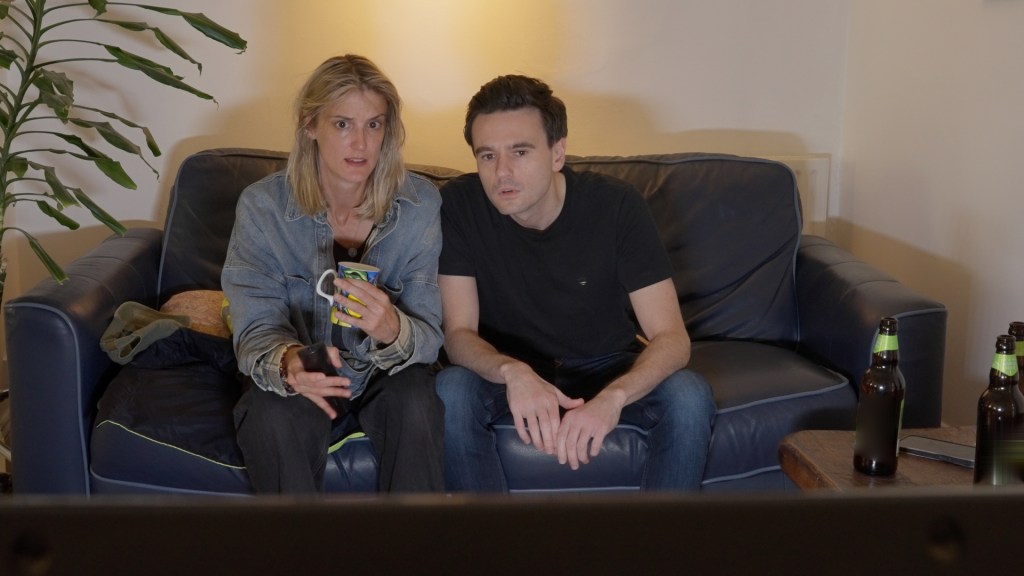
After doing all that, I tackled a scene in which two characters argue, receive phone calls, play a computer game and watch TV. Straightforward? Nah! Pretty soon, I realised I’d left the previous cut in a rather disjointed state. The scene needed a lot of work. There was a rogue film light in shot, continuity issues between takes, missing TV audio, and a need to blend sound from when the actors are physically in the room with when they’re on Zoom or on the phone – all within the same scene. I know, I know… but none of this is insurmountable. Better planning might have helped, but this is my first feature – there are some lessons you can’t learn in advance; sometimes you just have to “work the problem”.

That said, I’m getting to know Davinci Resolve far better and it is amazingly good. I’d been worried about copyright issues because several scenes had visible logos in shot. I knew Resolve could help, but I hadn’t quite appreciated just how good it is. The Patch Replacement tool is superb – you can sample a patch of the frame and lay it over the logo. And it even tracks intelligently if an actor walks in front of the logo! Fuck knows how! Similarly, I also managed to paste out a boom mic by cloning background over it, and even remove two moving cars from a country road. Blimey!

Several scenes are dialogue-heavy, and it became rather time-consuming to decide which shot/take to use for a given line. Luckily, Resolve’s AI transcription feature allows you to select specific text and flip between corresponding takes instantly. Genuinely very impressive.

I’ve also found the Smooth Cut Transition very useful. I’ve been lucky with the cast – fantastic actors, excellent performances – but there are moments when lines are held just a little too long. In some cases, this was unavoidable for technical reasons. We had a scene with four actors in one room pretending to be in separate locations on Zoom. All were mic’ed up and instructed not to talk over each other to ensure clean audio. The downside was that pauses became rather exaggerated, made worse by Zoom’s unpredictable delay of up to a second.

“Jump cuts!” I hear you cry. Yes, yes, jump cuts – very in vogue and can be great when used deliberately. But I don’t want to be forced into using them. As the framing barely changed, I was able to tighten the pauses using Smooth Cut Transitions instead, which preserved the performances without drawing attention to the edit.

So, progress with editing has slowed as I’ve reached the more challenging scenes. But I keep chipping away at it.
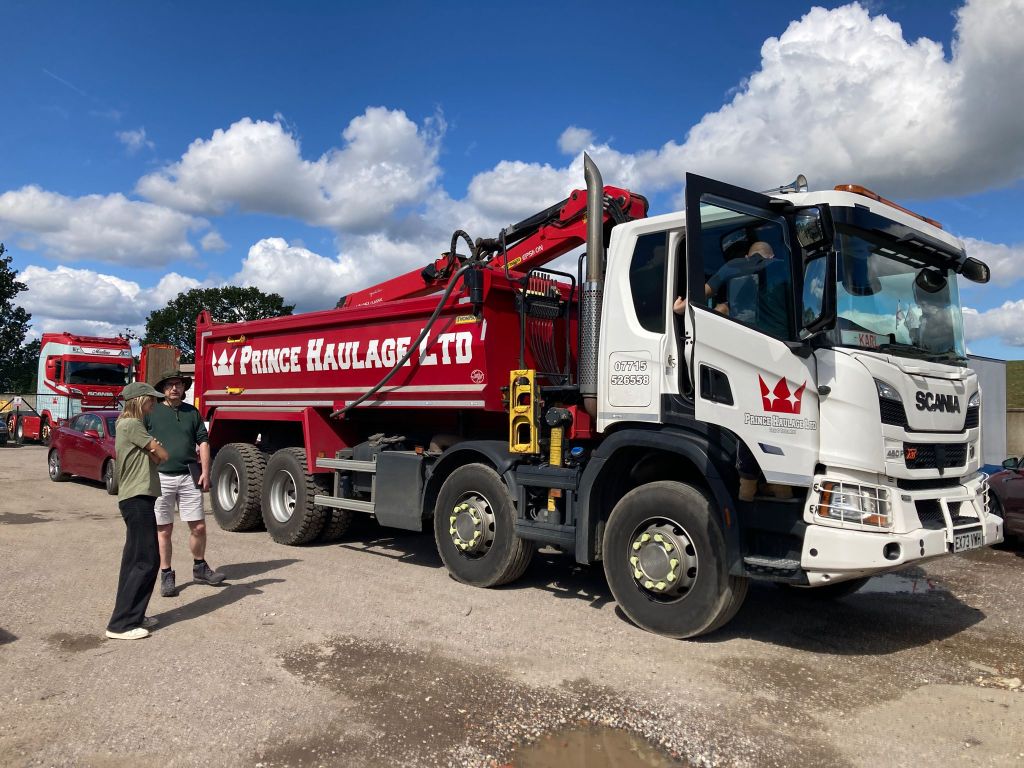
The Truck and The Downs

What a week! I’d managed to get the truck shoot scheduled for the 5th of September, so last Monday my main focus was just that. I’d arranged to hire a 32-ton, 8-wheel tipper truck from George Prince and had been up to their site near Horsham to check out the vehicles. George was brilliant – really helpful – and he agreed that we could film in his yard.

The truck, a Scania, was an impressive beast, but I started to wonder about manoeuvrability. Take a wrong turn and you can’t just swing around in someone’s driveway. We only needed to shoot three short scenes, but we had a lot of B-roll to cover over four locations, both interior and exterior, so logistics were going to be crucial.

Safety was top of my mind. Anyone who’s been on a film set knows how frenetic things can get, and I didn’t want confusion leading to an accident. I spent much of last week planning activities and mapping out numerous emergency stop locations.

On Wednesday evening, I had a Zoom call with our driver, Ruby. We went through the route and spotted a weight restriction on a bridge over the M23, so we had to adjust. In the end, this actually simplified things.

Originally, I’d planned to shoot in Essex, but getting cast and crew there all at once proved tricky, so I shifted the shoot down to Sussex. I’m glad I did – it allowed us to film in the South Downs, which suited the narrative perfectly and looked far more impressive.

The move did mean that the supporting artists I’d organised weren’t available, so last week turned into a frantic hunt for replacements. I’d hoped for four, but logistics forced us to make do with two, plus two crew members. Huge thanks to Matt Roberts and James Wingate for stepping in at the last minute as Martin and Derek. You did a great job! Also, thanks to our sound guy, Alistair Lock and camera assistant, Cameron Ryan, for stepping in to play security guards. Great work chaps.

By Friday midday, we were on site. After an hour or so of setting up, we shot the first scene and grabbed a bit of B-roll in the yard.

Then came the tricky part. Morgan, our DOP, got in the cab with Ruby and they headed to a rally point at a petrol station, shooting B-roll en route. Angela and I took our cars and drove to another rally point on Saddlecoombe Road in the South Downs. Ruby phoned when she was in position, and I gave the go-ahead. A few minutes later, we saw the truck pass, and Ruby stopped at a third rally point to drop off Morgan. I then phoned our second camera guy, Bip Mistry, to get him into position for an external shot, before picking up Morgan and dropping him at another camera spot.

Next, I had to move to a third camera position with my camera, only to discover AAARRGHHH! I’d packed all the gear, tripod included, but I’d left my camera behind! Luckily, I had my GoPro which saved the day. I phoned Ruby, told her to go again, and we got three more external shots of the truck passing.

I’d worried about getting a 32-ton truck up the South Downs hills, but standing next to it gives you a sense of its power. We reckon the engine was massive – probably 13 litres! Could it climb Saddlecoombe Road? Of course it bloody could! With a f*cking 13 litre engine, it could probably take on Mount Everest! Slight exaggeration, but you get the point.

After the external shots we headed back to the yard, passing Bip, who had relocated to a bridge over the A23 for another shot of the truck.

By 8:30pm, it was getting dark, so we started filming cutaways – and then ping! The yard floodlights came on, illuminating the entire bloody yard! AAARrrrghhhh!! Turns out they were motion-sensitive, so we just stayed still for a bit, then were able to continue filming.

We headed to Peas Pottage next, thinking it would be quiet for shots of the truck parked up. Yeah, right. It was heaving. Initially, we thought it was a popular trucker stop, but it turned out to be motorway maintenance crews mustering for a job. Big trucks, yellow machines, flashing red and yellow lights, and lots of blokes standing about chatting. It actually made an excellent backdrop for our planned scenes. We got the shots as quickly as possible, then sent Ruby and Morgan off to film interior night shots from the cab along the dark stretch of motorway between Peas Pottage and the Crawley Interchange.

After dropping the truck back at the yard and tidying up we all headed home… only to find that the motorway maintenance guys had closed the M23 south at two or three points. Thanks guys!

We got home around midnight. An exhausting day but hugely satisfying, and my plan had worked. I was particularly taken with the camaraderie at Peas Pottage. Truckers guiding new arrivals into place, chatting, helping each other out. I want to be a trucker!

All in all, an excellent week. Next week, more planning awaits………..

Set Dressing, Blocking and a New Toy

This filmmaking lark is becoming a blur. What did we get done last week? Right – Wednesday! Angela and I visited the House to mull over blocking and how best to dress the rooms. By “dress”, I mean “try to make it look like real people live there and not like a film crew’s invaded”.

We also met our 16-year-old Esther and ran through the short flashback scene with her. She’s brilliant and has a great grasp of the script, which is very reassuring.

Two rounds of online rehearsals took place this week, which I have to say went incredibly well. It’s almost surreal watching the script that I’ve laboured over for more than a year starting to come to life.

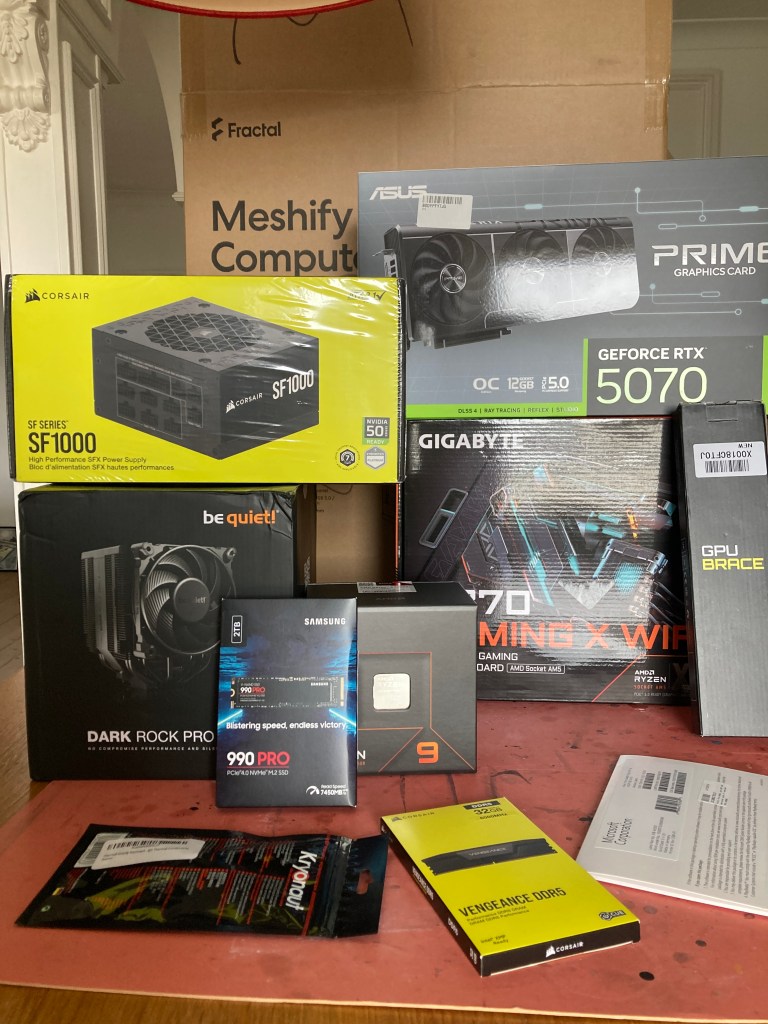
On the tech front, there’s the editing set-up saga. When I first got into this, I was editing on an Alienware R3 laptop using Adobe Premier. Then I picked up a Blackmagic camera, ditched Premier and moved to the excellent Davinci Resolve. Although that worked well, my Alienware struggles to handle anything fancy, and Microsoft has now declared that my machine is officially obsolete. The battery’s been dead for years, and since it couldn’t cope with the newer version of Resolve, I’ve bitten the bullet and started building a new PC. With expert guidance from Bill, I’ve ordered numerous parts, and boxes are arriving. I can’t wait to get it all set up and hopefully running Resolve like a dream, compared to the old brick I was using before.

I’ve also solved the logistics puzzle of shooting scenes with Zoom or Teams calls in them. It turns out the solution was quite simple: actors working from home, like everyone else! I did a quick shoot on Saturday to get some “prop” shots that we’ll use in the real shoots. I’m nearly ready to schedule the Zoom scenes properly now.

Oh – and I’ve successfully faked a Zoom call using the new Google Veo AI Flow or FlowState or whatever it’s bloody called, which is clever. I’ve also co-designed and ordered a couple of fake posters with the help of my arty friend, TomCatTatt.

Only one week now until our first shoot!

Story Boarding

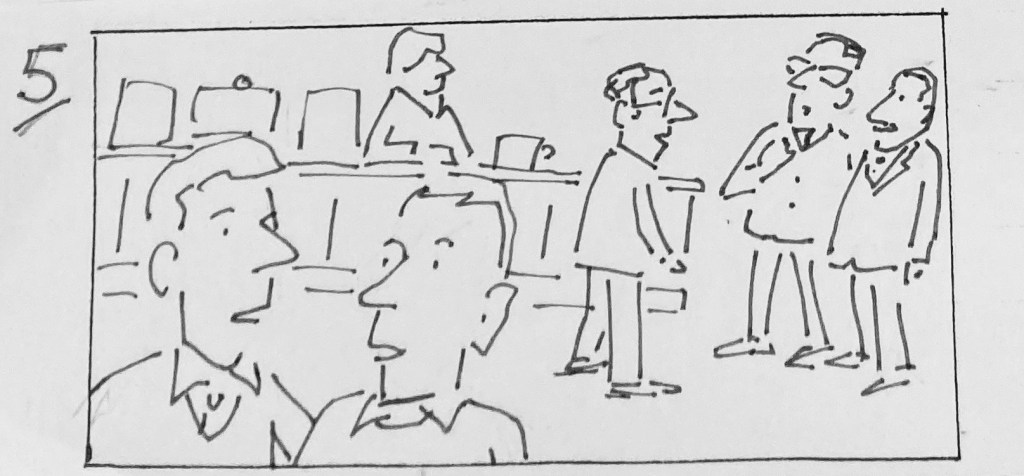
I have been story boarding for the film Automatic. A while back I had thought maybe I wouldn’t bother too much with this and just wing it on the day. Yeh, right! My prospective DOP told me I needed to story board so that he could generate a Shot List. So I set about it. I found an arty friend who was willing to do the drawings and we started off pretty well. Initially she spent time filling in details which looked good but took too long. Eventually we got down to some excellent little sketches. showing just enough detail. However, I realised that I was having to draw out camera positions to show her what to draw and that meant more work for me!

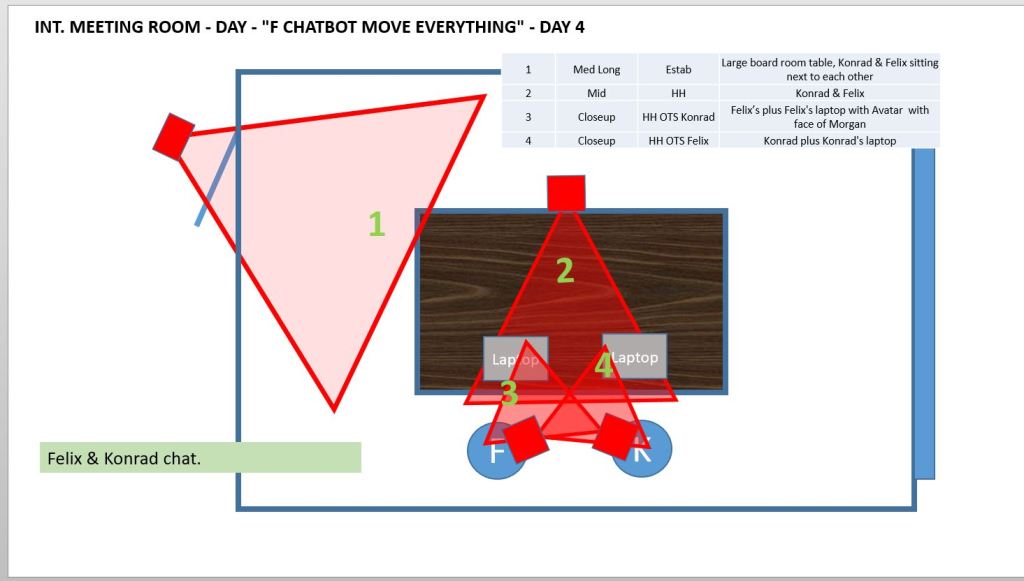
I started to lay out the scenes, the actors, some of the blocking and the camera angles using PowerPoint. There are apps fro this but I realised that by the time I’d learned them I may as well have done it in Powerpoint. Now I’m starting to understand that the more camera angles I put in, the more time it will take and the more it will cost.

I had a chat with the DOP and agreed that the powerpoint documents would be sufficient but I still had a lot of detail so I started playing with the idea of deliberate limitations. There is a film making movement known as Dogma 95 which sets very strict limits on the camera. I think the rule is something like one hand held camera and one light mounted on the camera. Maybe this is going too far but I am wondering about the idea of limiting each scene. Perhaps a wide establishing shot and then back and forth between the actors? It sounds very basic and could lead to a very dull look but I was watching an old 1963 version of The Caretaker the other night which had very basic camera work and was still very watchable… to me, at least. I guess that the script and the acting also had something to do with it’s success. Some of my actors may be a budding Alan Bates or Donald Pleasence but I’m no Harold Pinter and that was fifty years ago.

Today the public expect much more from cinematography and I have some off the wall ideas for the visuals so I shall persevere but I have enough to start planning out a schedule. So that’s next on my agenda. That and maybe ramp up the social media a bit.