Shouting at the Machine

How do you make a film? How do you storyboard it? How on earth do you edit it? Maybe I should’ve asked these questions a couple of years ago? If I were asked them now, I’d have loads of sage advice to share. I would sit there in front of lots of keen young filmmakers, lecturing them as if I knew what the fuck I was talking about. Truth is, when I started this project, I wasn’t so sure. But last week felt like nothing more than “worrying away at it”. That said, every time I go through this process, I stumble across another stage of filmmaking that professionals would no doubt recognise instantly, but never bother to mention. There’s a whole shadow curriculum to this business. I’m half-tempted to write a book about it when I’m done.

In the meantime, last week was spent shuffling bits about – tightening cuts, trimming excess and nudging sequences into place. The main thrust has been improving the narrative structure. It all felt a bit haphazard to begin with, but somehow, perhaps subconsciously, I’ve managed to trim the fat, sort the sequencing and generally polish it up. I’m calling that progress.

There’s a well-worn criticism of IT technicians who move into management that they’re too ready to retreat into what they’re comfortable with and avoid what they’re not. So, instead of managing people, they end up endlessly tweaking spreadsheets. I’m clearly guilty of that and towards the end of last week, I disappeared down a rabbit hole with Davinci Resolve’s “Fusion” tool – an image manipulation feature that is both extraordinarily powerful and maddeningly obscure, with zillions of controls.

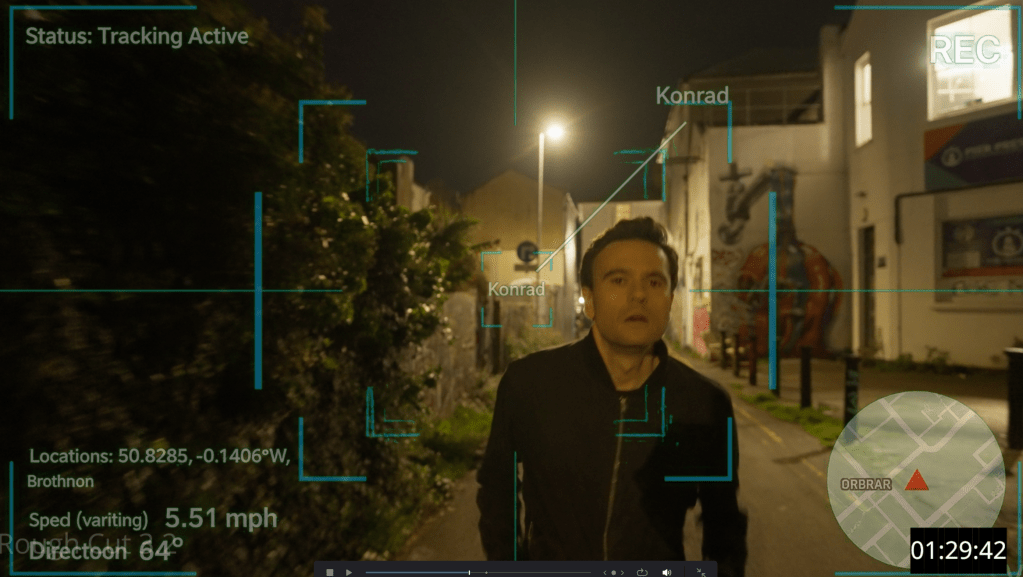
AI came to the rescue unexpectedly – albeit in a slightly unreliable way. I’ve been leaning on Google Gemini for guidance with Fusion, but because there are multiple versions of Resolve, it often gets things completely wrong. Ah, but the big advantage of AI over books is that you can argue with it. You can challenge it, point out its mistakes and get it to justify itself. You can even do that in the sort of language you might use with a particularly stupid assistant. In fact, the whole exchange has ended up rather neatly reflecting the theme of the film itself: “You absolute wanker! I told you – there is no ‘Invert’ button on that page! I’ve asked you three times and every time you give me something different! I’ll ask one more time: Where is the fucking Invert button?” The beauty of machines, of course, is that they don’t take offence. They just sit there, keeping their cool, while I lose my rag – and eventually, through sheer persistence, I figure out how the software actually works.

Meanwhile, our music producer, Carrie Higgs, is still somewhat in limbo as I haven’t yet delivered picture-locked media. That hasn’t stopped her progressing though, and she’s already sent through draft compositions, which I’ve dropped into the edit to get a feel for tone and atmosphere. We also agreed on the closing sequence music, and it’s all sounding very promising. We’re looking to bring in a group of local singers, so if you’re a choral singer anywhere near Brighton and happen to be reading this, then please get in touch.

So, we have narrative improvements, a few effects, some music and the odd pickup shot. It’s coming together and I’m nearly ready for another test screening. I’d had my sights set on the Brighton Rocks Film Festival but entries closed in April. I feel it’s better to get the film right than rush it … and I really think it’s getting there.
Resolve is Fantastic

I have been pressing on with Rough Cut Version 3 and, by last Wednesday, I was about 60% through and aiming to wrap by Friday. With Rough Cut 3, I’ve hopefully managed to:

  • Choose the strongest shots and takes
  • Sort the audio by selecting the best recordings, splitting tracks by actor and getting rid of superfluous ones
  • Refine the edits with either L-cuts or J-cuts as appropriate

Everything was shot in log, and I’ve done virtually no colour grading. Well…… I say virtually. I discovered that Resolve has a project-wide auto-grade function that you can toggle on and off, so I’ve had that enabled to make things viewable whilst I’m editing. I’ll disable it before the final grading. I’ve also done some temporary grading on particular tricky shots, so they’re roughly watchable – again, all to be stripped back before the final grade.

The aim with Rough Cut 3 is simply to get each scene technically sound and flowing reasonably well. After that, I want to stitch the whole film together again – maybe adding a few transitional shots (perhaps buildings, etc) so I can watch it without being distracted by poor sound or clumsy edits. I want to see if the overall narrative arc genuinely works.

As I said, I was optimistic about finishing by Friday. Each scene seemed to need just a bit of tidying up. Ha!

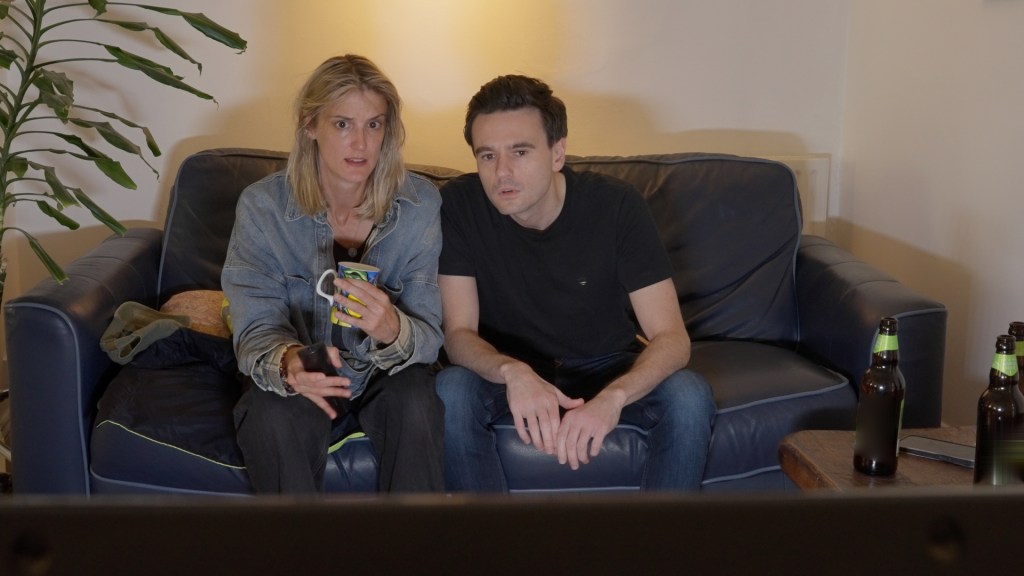
After doing all that, I tackled a scene in which two characters argue, receive phone calls, play a computer game and watch TV. Straightforward? Nah! Pretty soon, I realised I’d left the previous cut in a rather disjointed state. The scene needed a lot of work. There was a rogue film light in shot, continuity issues between takes, missing TV audio, and a need to blend sound from when the actors are physically in the room with when they’re on Zoom or on the phone – all within the same scene. I know, I know… but none of this is insurmountable. Better planning might have helped, but this is my first feature – there are some lessons you can’t learn in advance; sometimes you just have to “work the problem”.

That said, I’m getting to know Davinci Resolve far better and it is amazingly good. I’d been worried about copyright issues because several scenes had visible logos in shot. I knew Resolve could help, but I hadn’t quite appreciated just how good it is. The Patch Replacement tool is superb – you can sample a patch of the frame and lay it over the logo. And it even tracks intelligently if an actor walks in front of the logo! Fuck knows how! Similarly, I also managed to paste out a boom mic by cloning background over it, and even remove two moving cars from a country road. Blimey!

Several scenes are dialogue-heavy, and it became rather time-consuming to decide which shot/take to use for a given line. Luckily, Resolve’s AI transcription feature allows you to select specific text and flip between corresponding takes instantly. Genuinely very impressive.

I’ve also found the Smooth Cut Transition very useful. I’ve been lucky with the cast – fantastic actors, excellent performances – but there are moments when lines are held just a little too long. In some cases, this was unavoidable for technical reasons. We had a scene with four actors in one room pretending to be in separate locations on Zoom. All were mic’ed up and instructed not to talk over each other to ensure clean audio. The downside was that pauses became rather exaggerated, made worse by Zoom’s unpredictable delay of up to a second.

“Jump cuts!” I hear you cry. Yes, yes, jump cuts – very in vogue and can be great when used deliberately. But I don’t want to be forced into using them. As the framing barely changed, I was able to tighten the pauses using Smooth Cut Transitions instead, which preserved the performances without drawing attention to the edit.

So, progress with editing has slowed as I’ve reached the more challenging scenes. But I keep chipping away at it.

Chichester Film Makers CIC

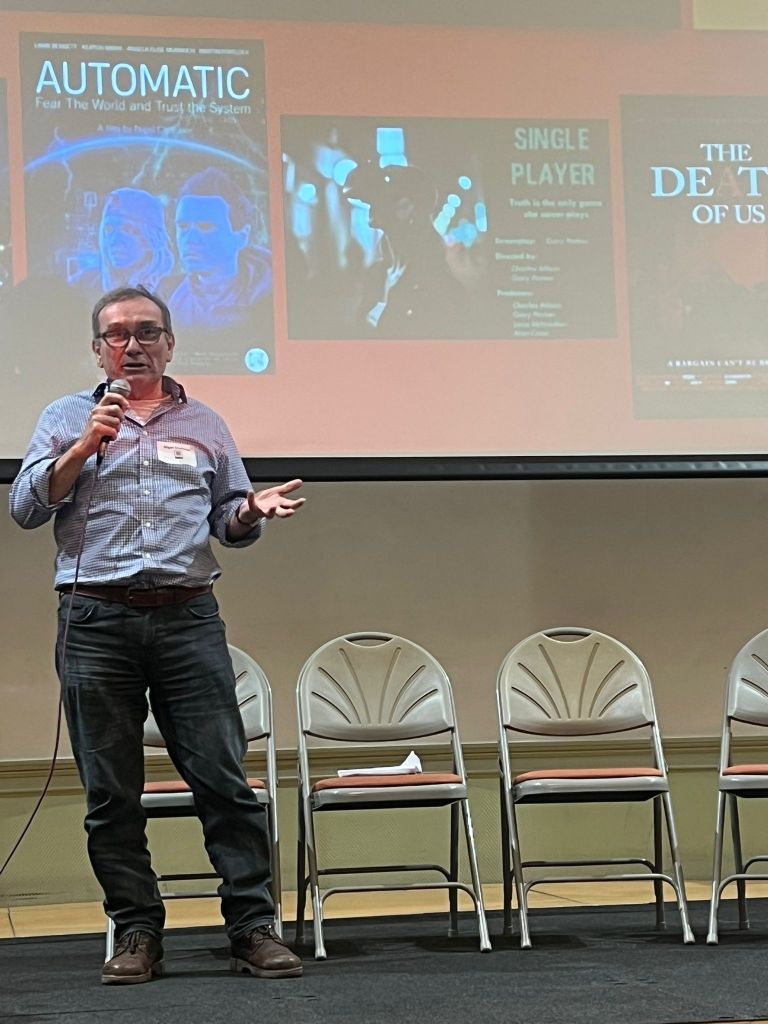
Editing, Editing, Editing. Most of my life now seems to be spent editing. However, last week I was invited to speak at the Chichester Film Makers CIC Winter Event, so I hastily knocked together a teaser trailer and a short talk explaining what we’ve been up to.

The Chichester Film Makers group is excellent — much bigger and far more “professional” than I’d realised. The meeting kicked off at 2:30pm with some networking, and I was pleased to bump into a number of familiar faces, including Angela, Keaton, Mark, Mike, David and Hazel from the cast of Automatic.

We watched a couple of short films, after which those involved came up on stage to talk about their experiences of making independent film. There was also a really useful introduction to DaVinci Resolve from someone who teaches it professionally – great stuff.

By the time it was my turn we were running a bit short on time, but we managed to watch the trailer and I waffled on for a few minutes about the making of the film. We received some very positive feedback, including praise for Tom’s poster design. There were over a hundred people there, and the atmosphere was genuinely collaborative.

Oh! Did I mention? I’ve finally treated myself to some proper monitor speakers. I’d had enough of wearing headphones all day – and apparently they give a false impression anyway.

Distracted by Editing

Last week was relatively quiet. I admit it – after wrapping up those three days of filming, I took my foot off the pedal and started diving into the editing. Modern editing software is very powerful, but I’m realising that I understand only a fraction of what it can do.

We have been trying to use one lav mic per actor plus a boom mic, which results in multiple audio clips for every take. Syncing all of this is a task in itself. Ideally, Resolve would handle it automatically. It does have automated syncing for multiple takes and clips, but it seems to only sync one audio clip to one video clip. Last week, I started auto-syncing all audio clips for a single take with their corresponding video clip. That seemed to work, though it ends up pulling all the audio into the original video clip.

I could go on, but I’ve probably lost most readers by now, except for the real nerds. You get the idea: editing is complicated. I managed to get one scene 90% assembled and I have to say that I like it.

On a more creative note, Angela and I have been thinking about ways to break up the main scenes a bit, so we’ve been sketching out what we’re calling “transitions”.

Meanwhile, Julie got the press releases out, and we’ve already had some feedback. Sussex World has run an article, and Brighton and Hove Magazine are interested in a Q&A.

We’ve got another shoot coming up in the offices this Saturday. Many, many thanks to Mark Tournoff and Gosia Stewart of EC Brighton, who have kindly lent us their office space for filming.

Part of the reason last week felt quiet is, of course, that I started editing. It’s one of those tasks where you can easily slip into a steady state of flow, and hours just slip away. Some people edit as they go, but I’m finding that it distracts me from the remaining production tasks – so, my next priority has to be completing the filming.

House & Garden

After a long, tiring day filming in the office on Sunday, we kicked off last week on Monday by prepping a house in Seaford. Angela, Nicky and I spent hours arranging furniture and props, getting everything ready for the shoot on Tuesday. We’d noticed that the garden looked stunning in the morning light, so we were hopeful for some great shots outside.

When we arrived on Tuesday it was raining, so we began with the interior scenes featuring Pat Garret and Angela Elise Munnoch. This was the first time both actors appeared in the film, although Angela has been working as the Assistant Director on most of the previous scenes. We certainly missed her AD skills, but both she and Pat gave really strong performances.

After Sunday’s office scenes, I’d assumed the house shoot would be a bit more relaxed and straightforward, especially with only three actors. How wrong was I? Lighting and framing the shots inside the house took far longer, maybe because we were aiming for more emotional depth. By 2pm we were still filming, so we broke for lunch before continuing with the interior scenes.

David Burton had been waiting patiently all day for his debut, but by 5pm we still hadn’t wrapped the interior scenes. So, I made the call to reschedule the garden scenes for another day. We finished up by capturing some nice B-roll of Pat and David strolling through the garden. Angela and I then prepped for a flashback scene with Isabella and Stephanie, both of whom gave excellent performances.

The rest of the week was mostly admin – scheduling and tinkering with Davinci Resolve 20 on my new editing PC. The old Apple screen I’d been using with my previous setup proved to be a bit antiquated, so I ordered a new 34-inch ultra-wide screen. Wow! What a difference! I was a bit concerned about the sound in some scenes, especially the one near Shoreham Port, where the noise from the ships was very noticeable. Plus, we’d been getting a strange crackling from the radio mics on some office recordings. I’ve had some success reducing background noise already, but the port recordings were still truly appalling… until I noticed a new button named “AI voice isolation”. Blimey! It’s like magic!

I also had a play with with colour grading and grabbed a few stills for promotional material. It’s all looking really promising.

Our next shoot is Friday, back at the house, and we’ve got a few days lined up in a flat in Brighton in a couple of weeks time. And we’re also very close to finalising our new Morgan character.

Herr Flick’s Binoculars

About a week ago, you might remember that I finally received all the components for a new video editing PC – more powerful than Herr Flick’s Binoculars. You may also recall that the power cables turned out to be too short, rendering the whole thing a bit useless. Thankfully, Bill came round last week with new cables and assembled the beast. It now sits quietly simmering under my desk and, after installing Davinci Resolve 20 and loading it up with all the footage we’ve recorded so far, it’s proving more than capable of handling the job.

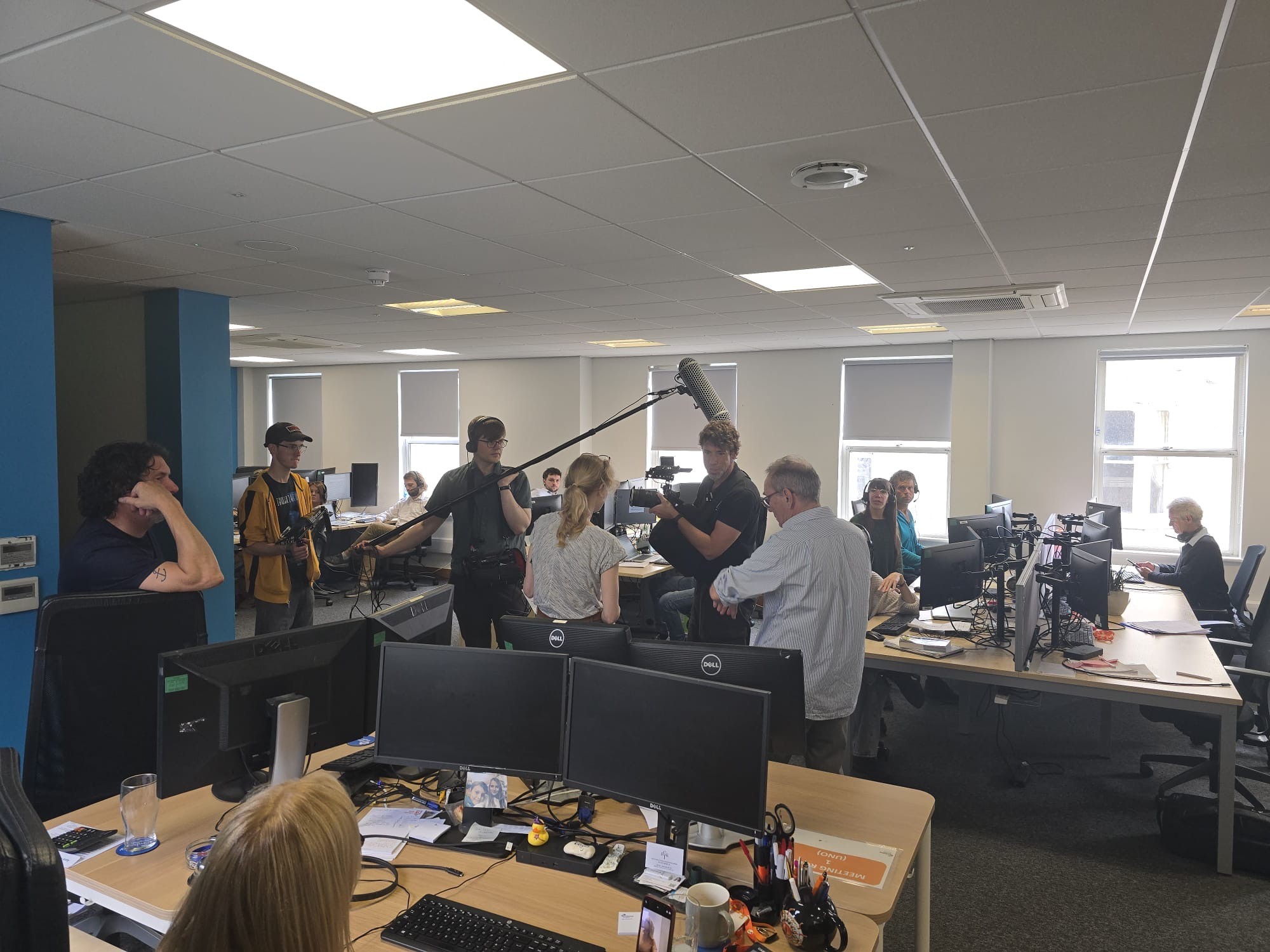
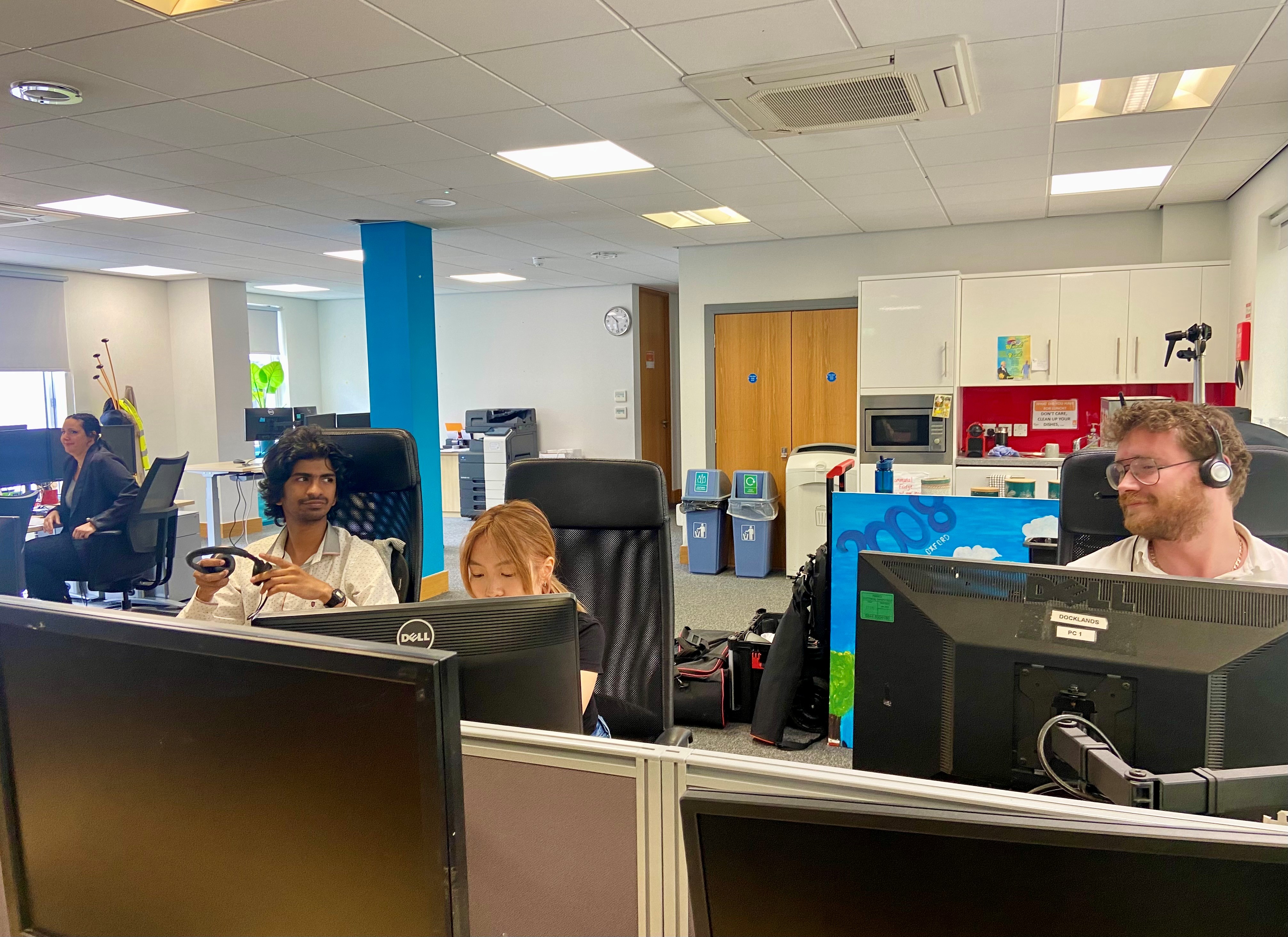
Saturday was spent running around like a blue-arsed fly in preparation for Sunday’s shoot, which took place in a set of offices in Kemp Town. We’d rigged the place to look like a call centre and brought in 16 supporting artists to chatter away whilst wearing headsets. They all did a brilliant job, as did the main cast. We also shot a few scenes in the meeting rooms – slightly easier to manage logistically, but still pretty full-on for the actors. Sunday’s shoot for Automatic featured Lamb Bennett, Lucy Mabbitt, Jamie Langlands, Simon Willshire, Sam Stones and Gosia Stewart, all of whom delivered excellent performances.

Many thanks to Mark Tournoff, Andrew Cawdery, Tom Waterton-Smith and Julie Russell for organising props and coordinating the supporting artists. We couldn’t have done it without you. And a special shout-out to Bobby, Gosia’s friend’s dog who, all things considered, kept remarkably quiet during takes.

Next up: the “House” scenes on Tuesday 29th July, so we’ve had a busy Monday preparing.

Solid progress.